


Uncovering the ROI of Breezeway's Operations & Guest Experience Platform
In this article, we unlock key findings from our 2024 ROI Report and highlight areas where Breezeway's solutions drive operational efficiencies for clients.

Save time with the leading property operations and experience platform.
Your team answers the same guest questions all day.
AI has gotten good at this part, and most messaging tools can now draft those answers from your property data.
But the first message was never the hard part. The second one is.
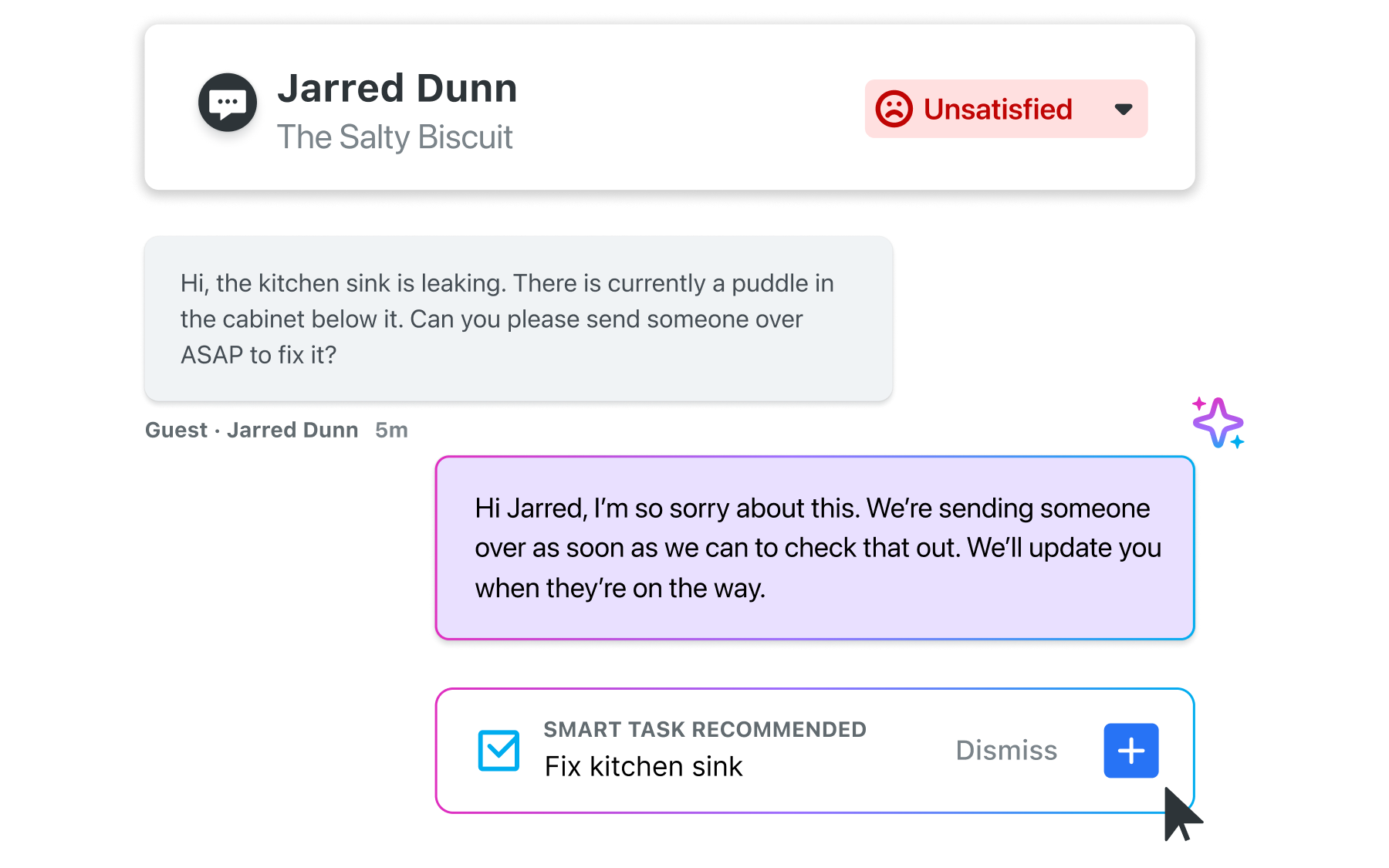
Picture a guest who reports a broken AC at 9pm and gets an apology, plus a promise that someone will take a look. At 8am, the guest asks whether anyone's coming, and gets a reply that treats it like a brand new problem. Now someone on your team is scrolling back through the thread to piece together what happened, checking whether a task ever got created, and smoothing things over with a guest who feels ignored.
That's what happens when your inbox doesn't know what your operation is doing. The reply lives in one system and the work lives in another, and nothing connects them.
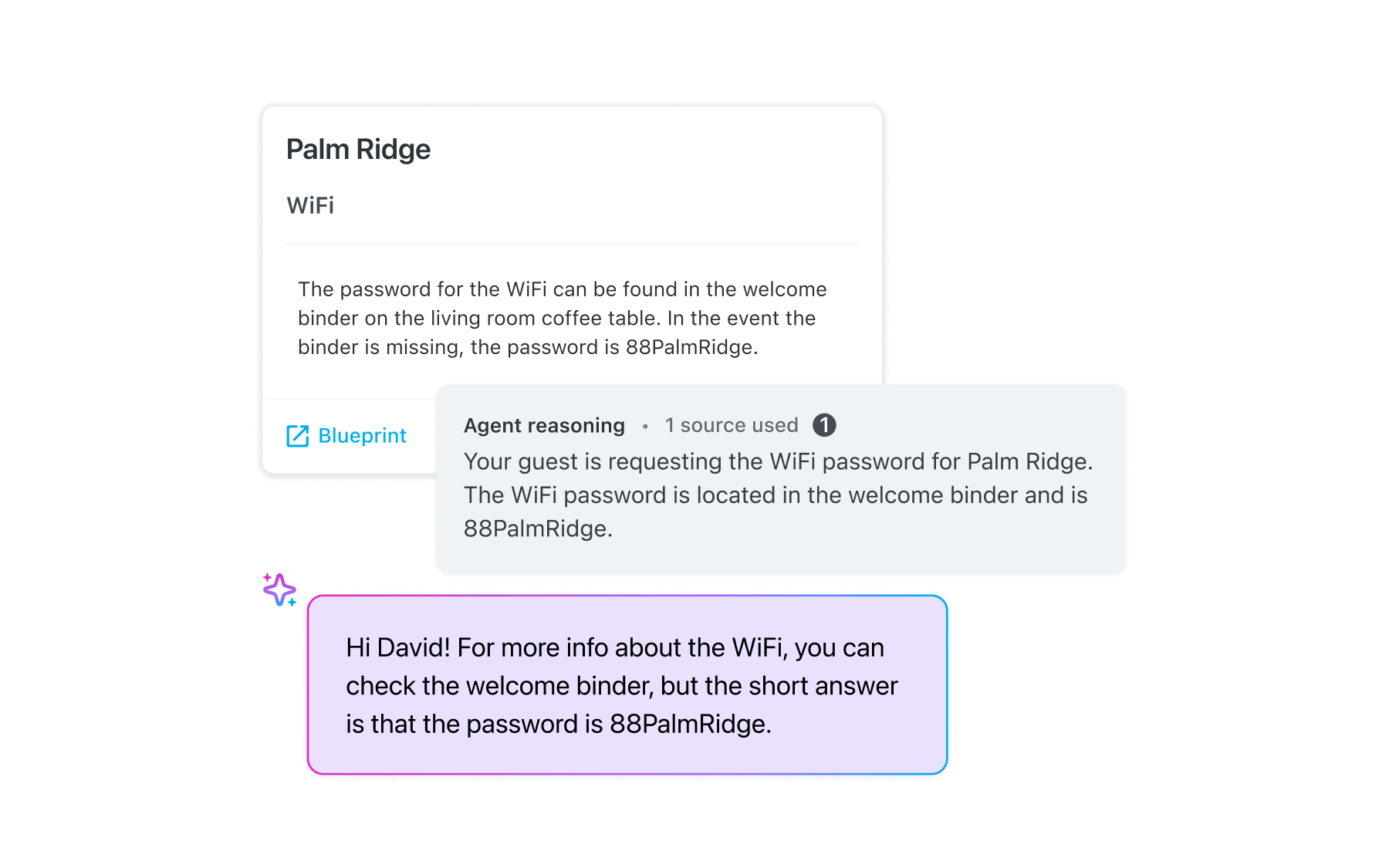
Meet Concierge, the AI guest messaging agent built into Breezeway. It answers from the Blueprint, Property Profile, and Guide your team already keeps up to date, so there's no second knowledge base to build. And because it can see the task that came out of that conversation, it knows the AC is already on someone's list.
So your guest gets a real answer at 8am, and nobody on your team has to go find it.
When a guest reports a real problem, Concierge spots it and offers to create the task for you, already filled in with the issue and the details around it. One click and it's on the board.
From there, Concierge knows the job is in motion. So when your guest checks in on it, they get a straight answer instead of another apology, and your team doesn't have to reconstruct the story first.
|
Introducing Concierge: |
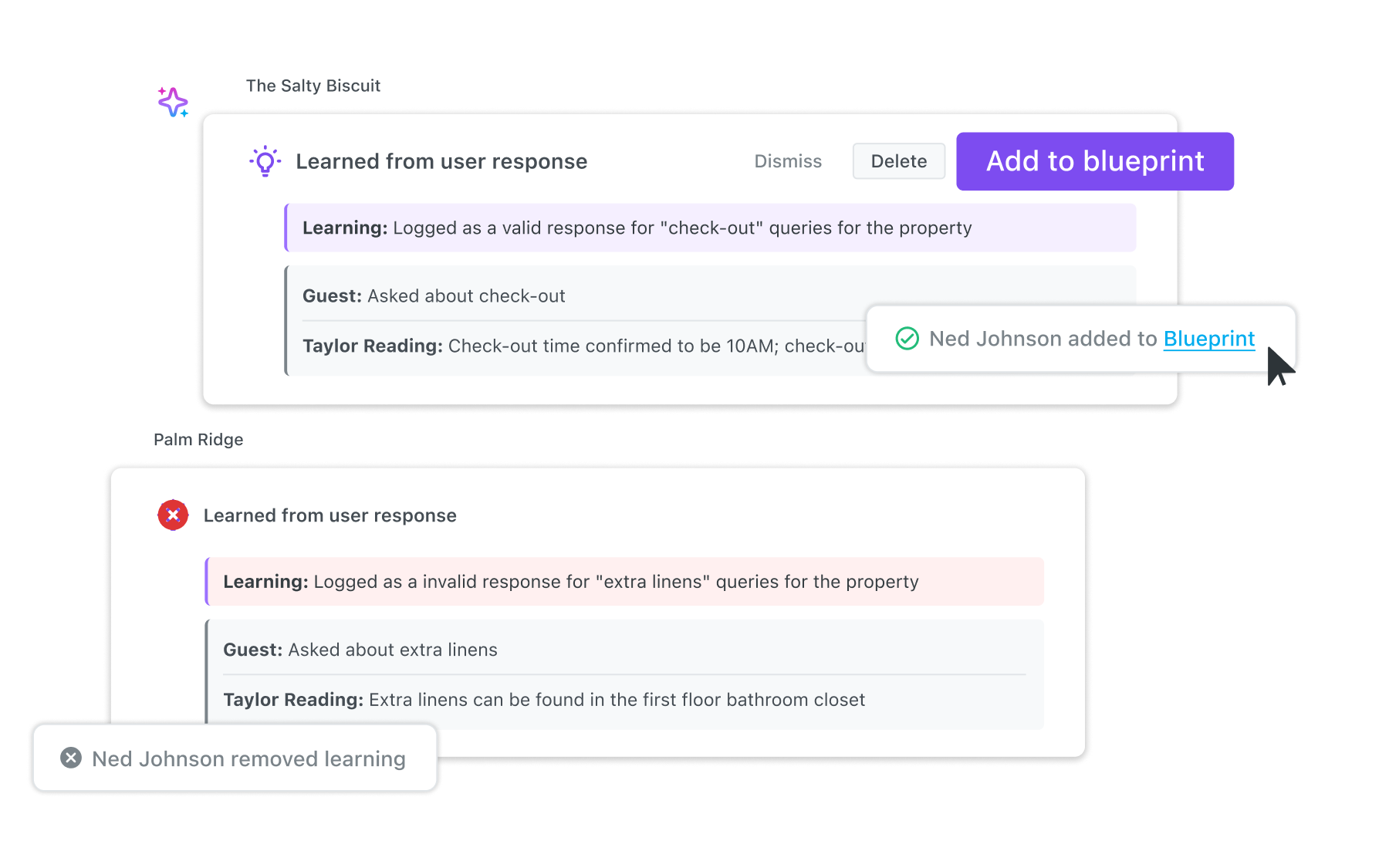
Your team already corrects guest replies. The trouble is that the work disappears the moment they hit send, and the same gap shows up again next week.
Concierge learns from every one of those edits. When someone rewrites a reply, it notes what it got wrong and puts that to work going forward. Your Admins and Supervisors decide what becomes permanent: add it to Blueprint so it holds across the portfolio, add it to a single Property Profile, or undo it. Every learning is logged along with the reasoning behind it, so nothing changes without you being able to see why.
Your property data ends up getting better because of the people already answering guest questions, not because someone finally found a free afternoon.
Concierge starts by drafting. Every reply shows you where the answer came from, and your team sends it, tweaks it, or writes something else. Nothing reaches a guest without one of your people saying yes. That's CoPilot.
When you're ready for it to send on its own, you set the confidence level a reply has to clear. Anything below that comes back to a person with a flag. Concierge also waits before it sends, so if someone on your team jumps in first, it stands down. That's Autopilot.
Teams usually start in Co-Pilot. Watch how often your team sends a suggestion as-is, then move when it feels right. You can set the hours Autopilot works, turn it off for individual properties, or pause it inside a single conversation while it's still drafting.
|
Introducing Concierge: |
Automate operations for short-term rentals with Breezeway's smart workflows and guest experience tools designed to ensure efficiency and guest satisfaction.