

Breezeway integrates with Icnea: smart hospitality for property management
Icnea users can now connect property data with Breezeway to automate tasks, sync work orders in real time, and deliver guest-ready properties.

Save time with the leading property operations and experience platform.
On a heavy turnover day there are hundreds of jobs in motion across your portfolio. Cleans, inspections, maintenance, mid-stay requests. Most of them will go fine with the right automated workflows set up.
The problem is the handful that won't:
Nothing about those looks any different from the ninety routine updates around them. So most teams find out the way they've always found out: the guest tells them.
Controller is built to close that gap. It's Breezeway's AI daily operations feed for short-term rental and vacation rental teams — a ranked list of the work at risk today, with the next step already prepared.
|
See which of today's jobs is about to fail |
Instead of a picture of your day, Controller gives you a ranked list of what's at risk in it — and, on most alerts, the next step already prepared.
Ten conditions generate alerts at launch, including:
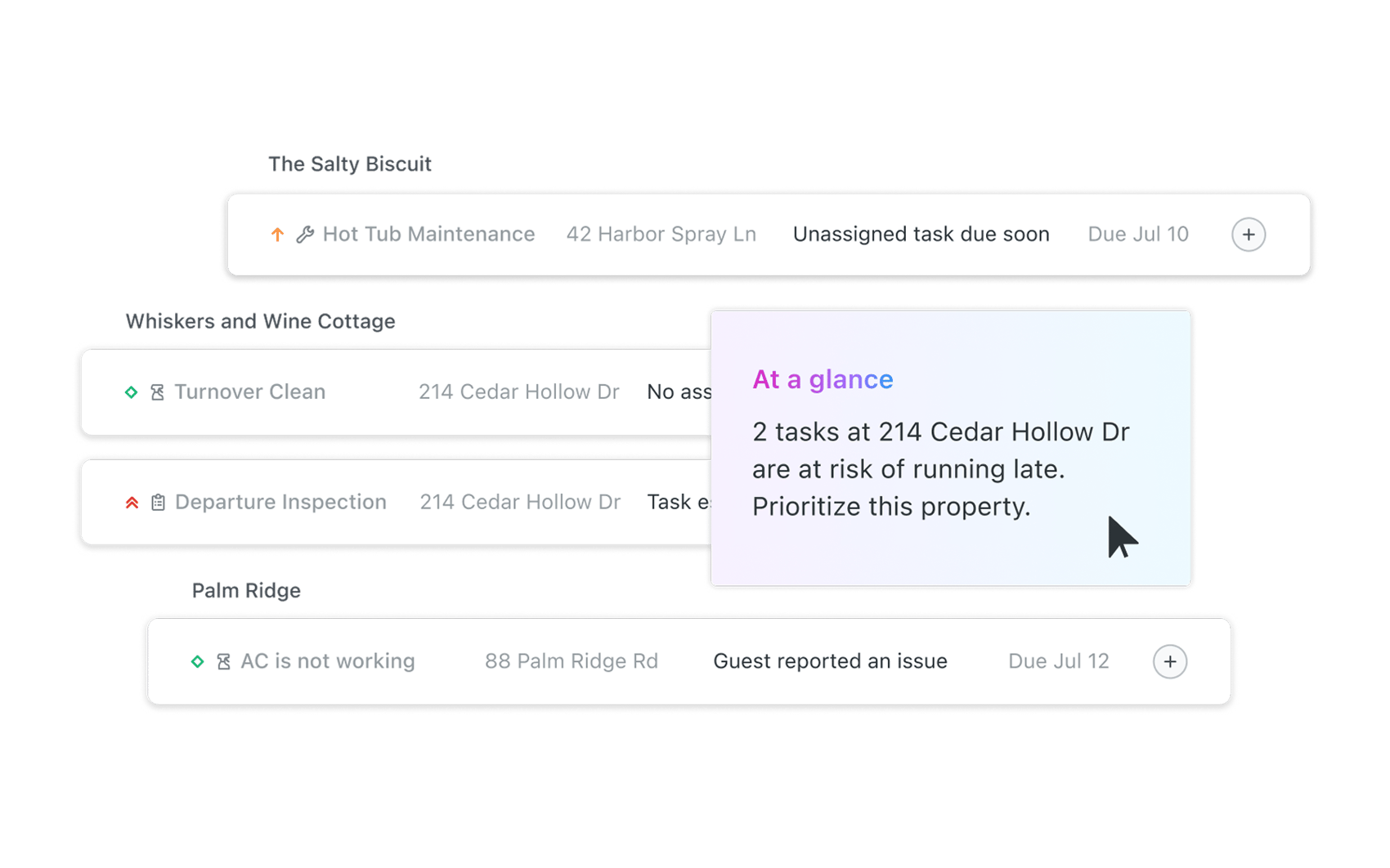 Alerts on the same task or property group together and rise to the top, so a property having a bad morning shows up as one situation rather than four separate lines.
Then Controller does something a notification can't: it gives you the move.
Assignment problems come with people who can cover. On the four assignment alerts, Smart Task Assignment surfaces up to five best-fit assignees right on the alert, ranked on your own team's record — who has actually done this task at this property, and who does this department's work there. People who've marked themselves unavailable are filtered out, and each name shows what they're already carrying that day so you can weigh it. Multi-select for jobs that need more than one person.
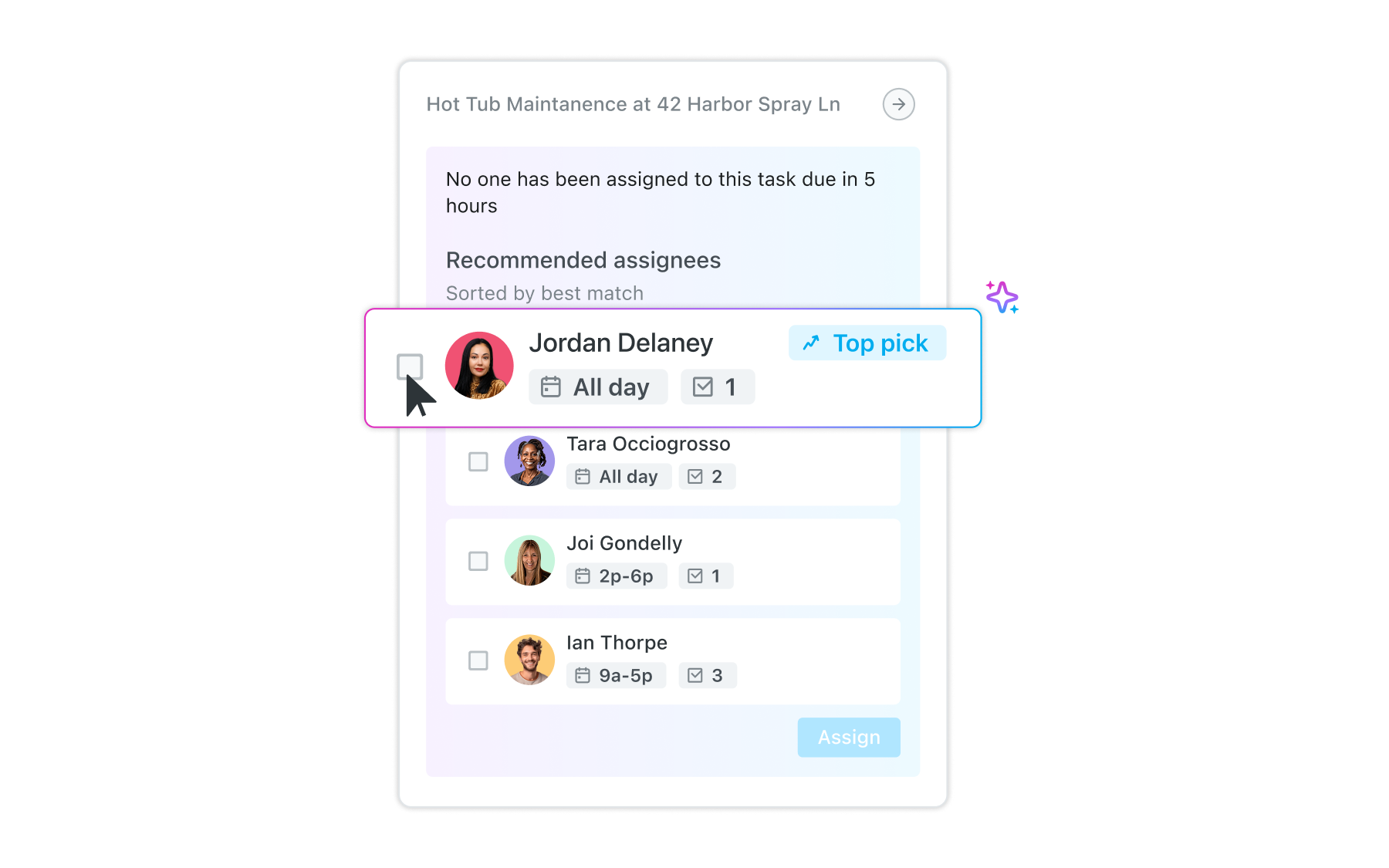
That ranking is drawn from your operation, not from a general model of how cleaning crews behave. It's the difference between a suggestion and an informed one.
Team follow-ups come with the message already drafted. On the three outreach alerts — a job not started, a job not claimed, a job stalled past 24 hours — you hit Comment on the alert and the task opens with the message already written. Edit it or send it. The point is that the chase takes seconds instead of being the thing you meant to do at noon and remembered at four.
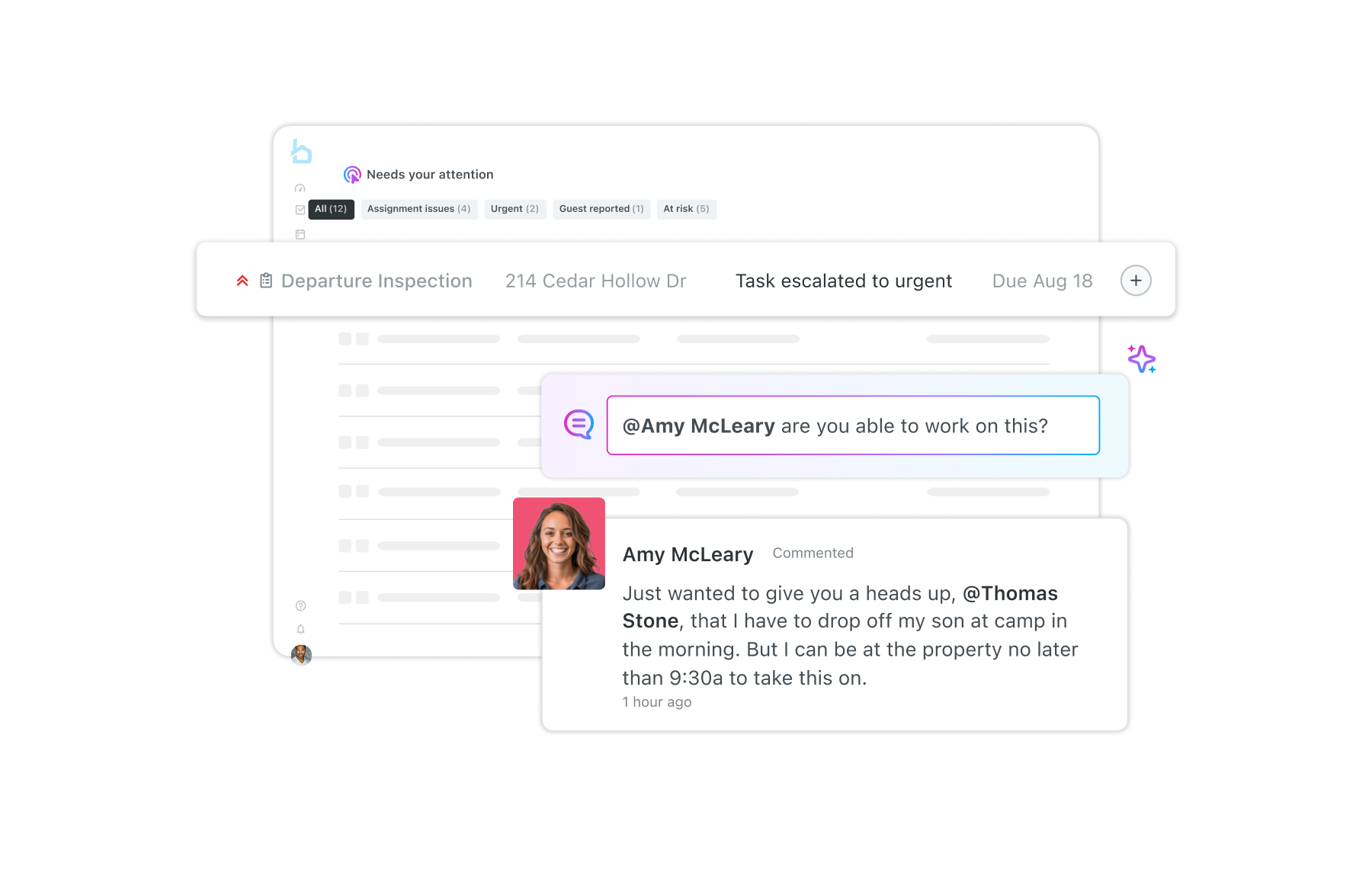 Judgment calls go straight to the work. Guest-reported issues, new urgent tasks, and escalations don't come with a recommended action, and that's deliberate. How your team handles a broken AC at 9pm is your standard, not ours. Controller opens the task, gives you the context, and gets out of the way.
Seven of the ten alert types carry a recommended next step today. The other three route you to the task.
|
Stop scrambling for coverage |
At the top of the feed is an AI daily summary.
It isn't a restatement of the alerts underneath it. It reads across them and tells you what they add up to: that four of today's alerts are on the same street and one team could clear all four in a single dispatch. That one person is tagged on three open alerts, so if they're out, several jobs are at risk at once. That two check-outs today still have no confirmed cleaner.
That's the kind of connection a person makes after twenty minutes with the schedule and a coffee. Controller makes it before you sit down.
Every operations platform will show you your day. Counts, calendars, a schedule you can filter and sort — and that was never the hard part. You already know it's a heavy day. It's the same reason notification settings never fixed this: when a routine comment and a clean that never started arrive looking identical, the one that mattered ends up buried in a badge count with eighty that didn't.
So the question to put to any tool you're evaluating is a narrower one. Not can it show me the day — they all can. It's whether it can tell you which job is about to fail, before a guest finds it, and hand you the people who can still cover it.
That's what Controller is for. The morning scan doesn't have to be a scan. It can be a short list you clear before your coffee gets cold.
Controller is included in any Breezeway Operations plan so try it out today.
Book a demo to see what the Breezeway operations platform can do for your team.
Automate operations for short-term rentals with Breezeway's smart workflows and guest experience tools designed to ensure efficiency and guest satisfaction.